 Fuseduo by Hollowbit
How it works
From two icons to a working automation.
Four steps, about half a minute, and you stay in charge of every one.
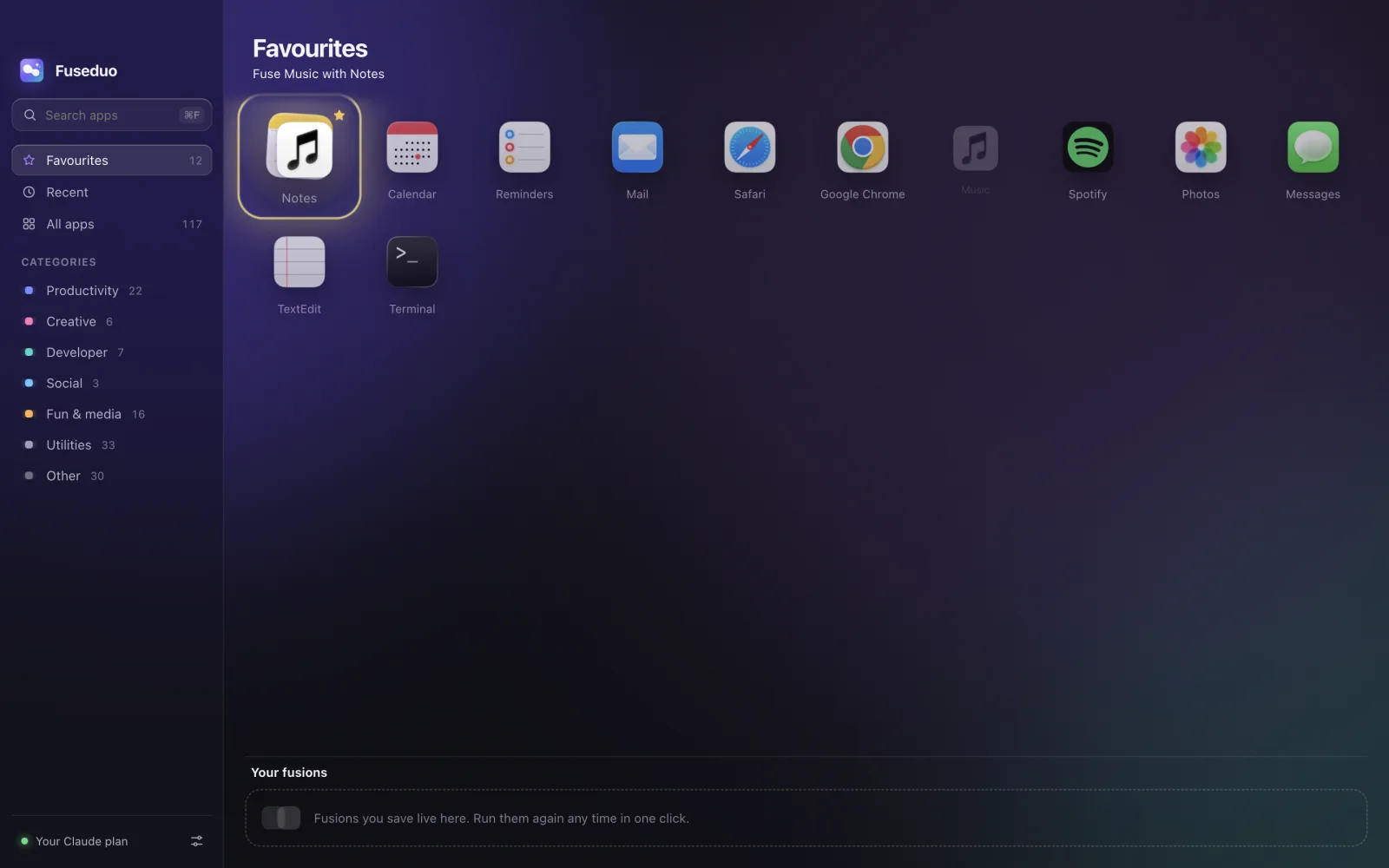
Drag one app onto another.
Your apps sit on a glass board, grouped into Favourites, Recent and categories. Pick one up and drop it on another. They melt together.
- Every app installed on your Mac, found automatically
- Star the ones you use most
- Hover a shelf in the sidebar while dragging to switch to it
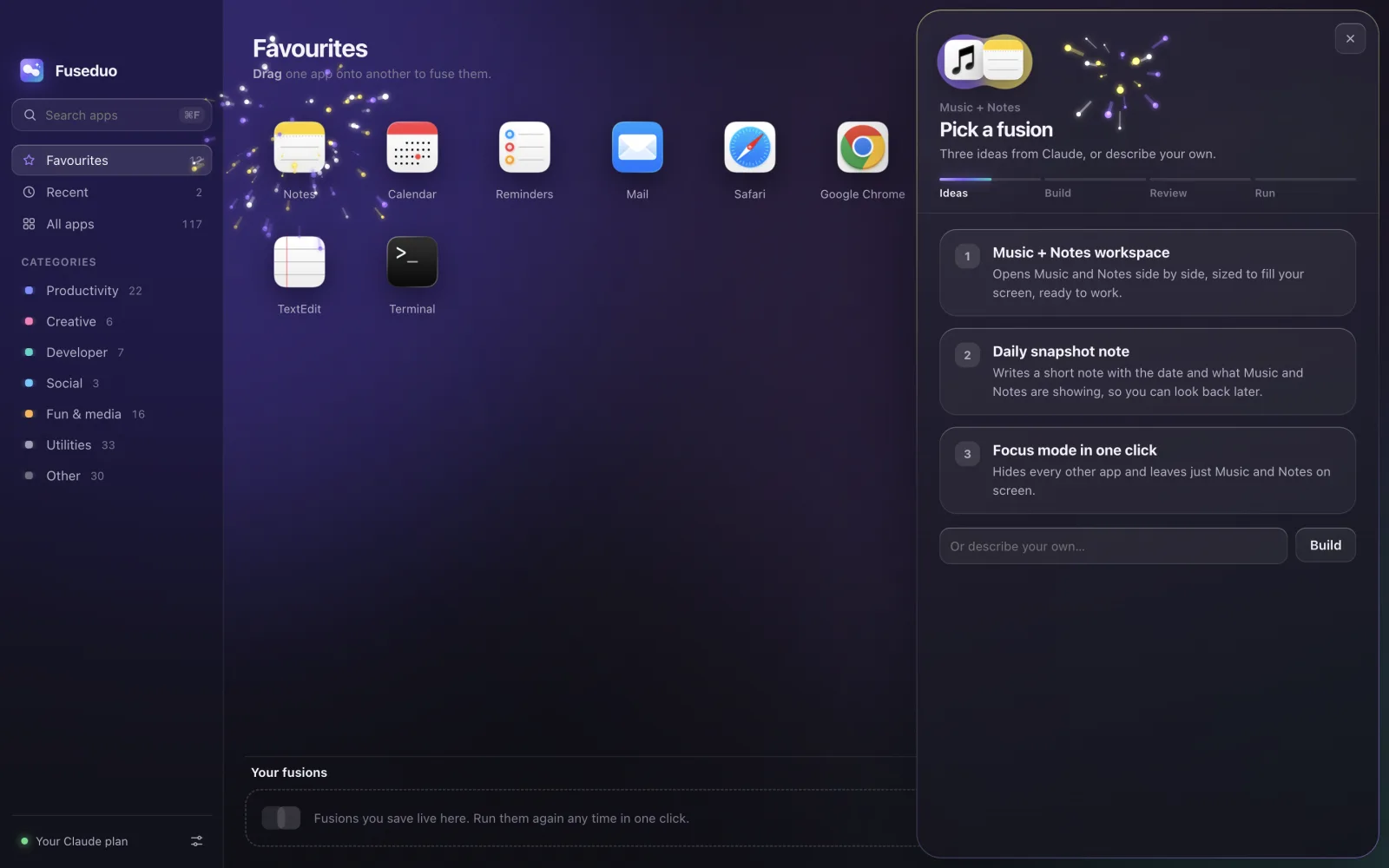
Pick one of three ideas.
Claude looks at what the two apps can actually do and suggests three automations, from delightful to practical. Or type exactly what you want.
- Ideas often start loading while you’re still hovering
- Ideas for a pair you’ve fused before come back instantly
- Not quite right? Ask for three more
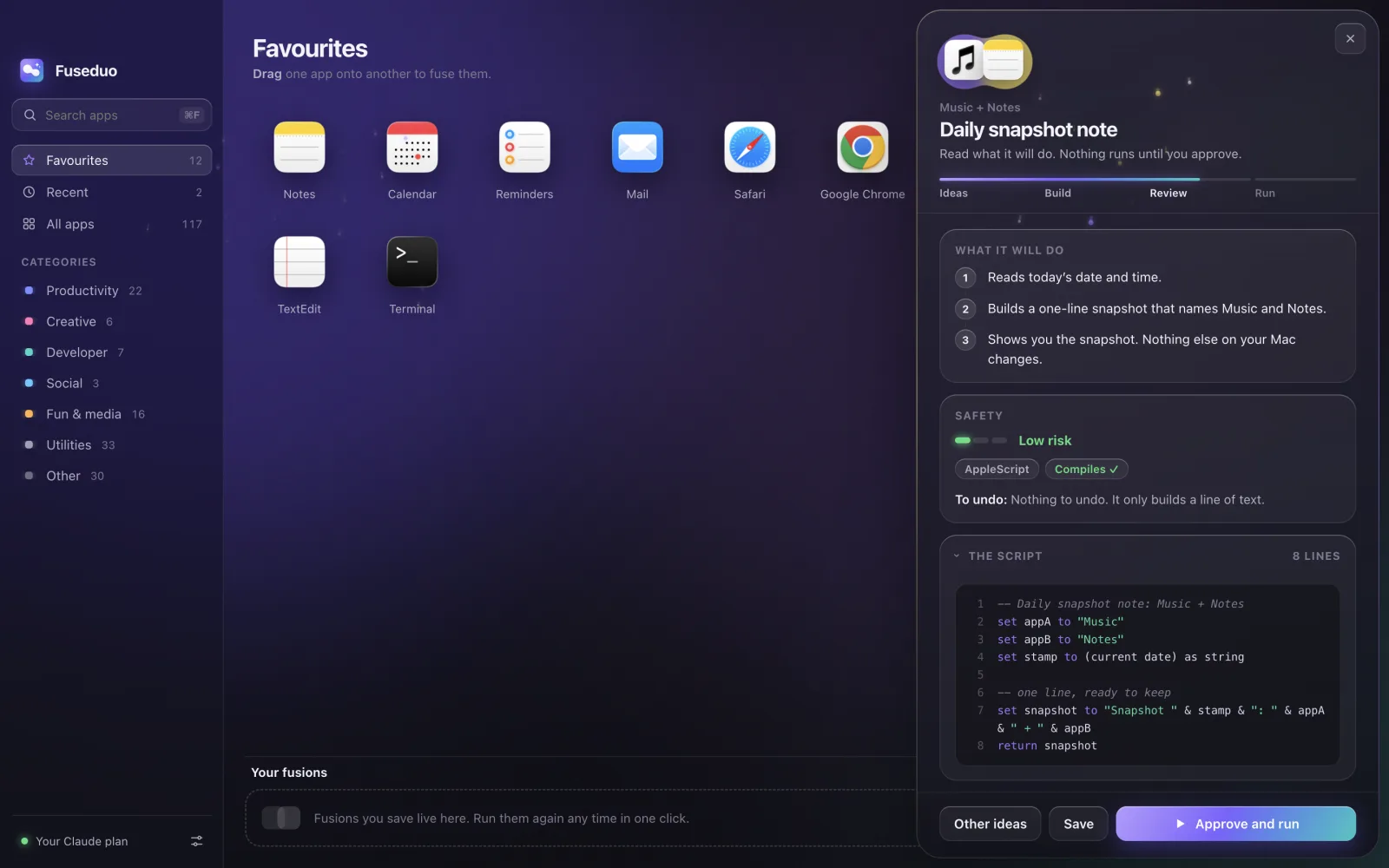
Read the plan.
Fuseduo writes the automation as a real script, checks that it compiles, fixes it once if it doesn’t, and explains it step by step.
-- Today’s agenda note: Calendar + Notes
tell application "Calendar"
  set todays to events whose start date ≥ dayStart
end tell
tell application "Notes" to make new note …
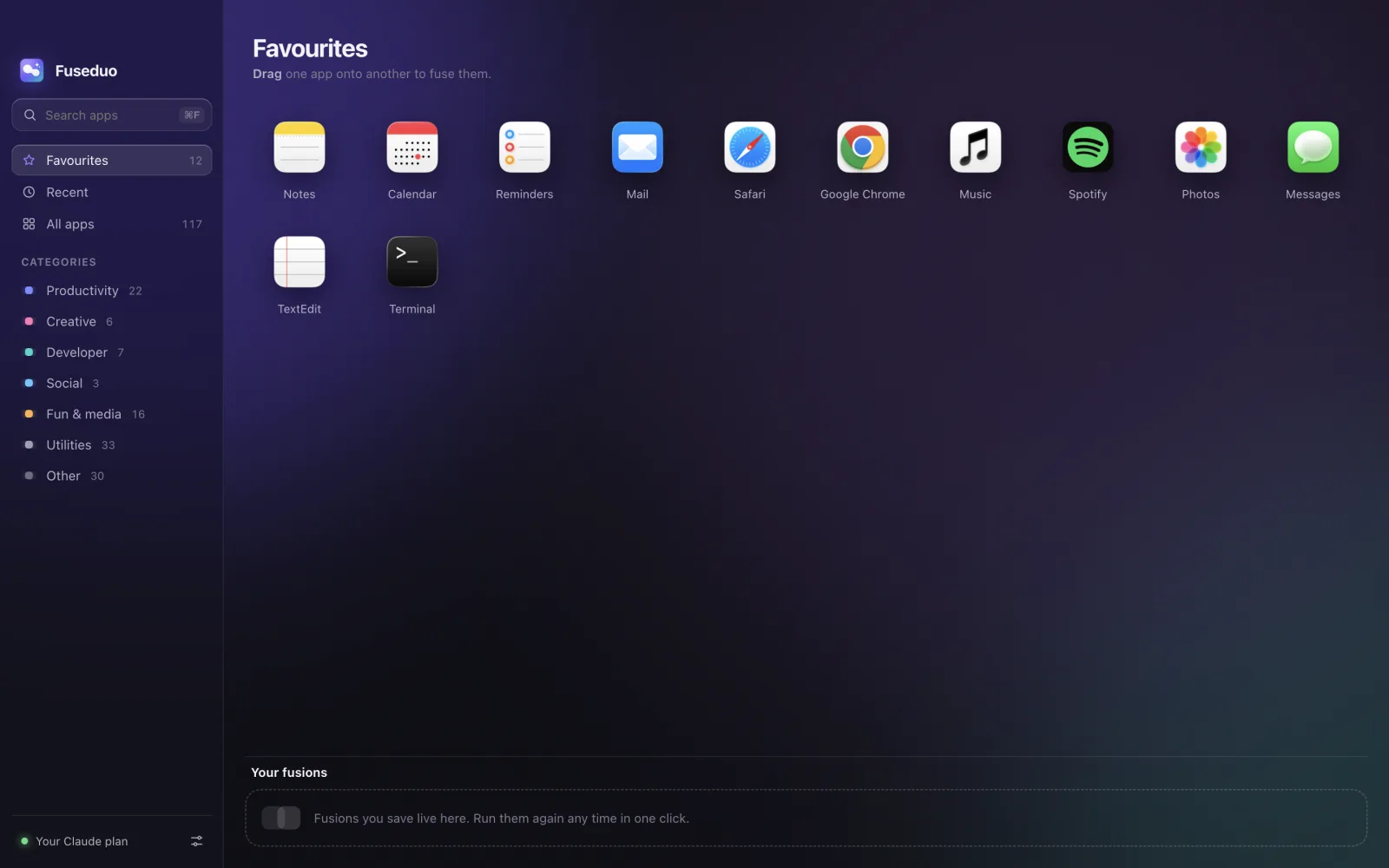
Run it, then keep it.
Press Approve and run. Save the fusions you like and they wait on your shelf, showing when each one last ran and whether it worked. Run them again in one click.
Under the hood
Real scripts, not a black box.
AppleScript
For apps with a scripting dictionary, like Notes, Calendar, Mail, Music, Reminders and Safari.
JavaScript for Automation
The same app control as AppleScript, written in JavaScript, when that fits better.
zsh
For files and command-line tools. New files only go to a Fusions folder on your Desktop.
Which Claude it uses
With Claude Code installed and signed in, Fuseduo runs on your existing Claude plan. Or add an Anthropic API key in Settings; it’s stored with your Mac’s keychain.
Best or Fast
Choose the model in Settings.

Get Fuseduo.
Free for Mac. Drop one app on another and see what they can do together.
Version 1.0.0 · Free and open source · View on GitHub · All downloads
First launch: right-click Fuseduo in Applications and choose Open (it isn’t signed with a paid Apple certificate). You’ll need Claude Code or an Anthropic API key.